

The Reason for Visit module allows users to add and customize reasons for visits that will be available to patients. Users can map multiple providers and operatories/chairs to each reason, assign specific details such as patient type (new/returning), and further customize visit duration and active status. The section also displays a detailed list of all reasons for visit within the practice, including information such as the reason name, assigned providers, associated operatories, and other relevant details, helping to effectively manage and customize the reasons for visit.
Create Reasons

You can create new reasons for visit by clicking on the “Add“ button located on the top-right corner of the module. The add feature allows you to input all necessary details for the reason, ensuring the visit reason is accurately set up and available for patients.
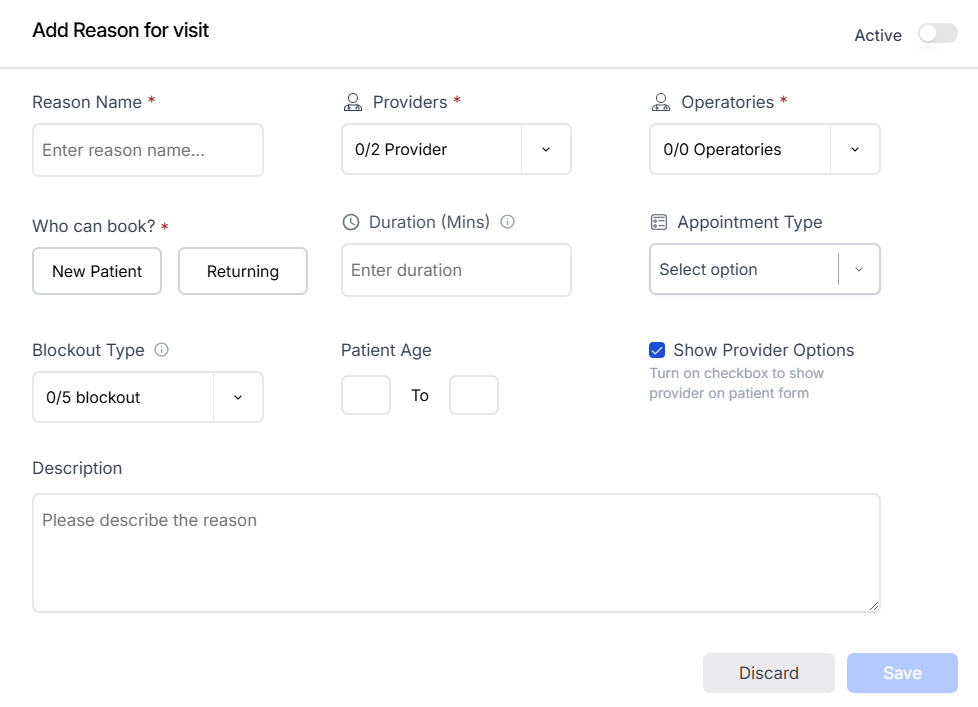
You can add the reason name, specify whether the reason is intended for new or returning patients, define the patient’s eligible age for the reason, select the blockout type, and provide a detailed description of the reason. This ensures all relevant information is captured for each visit reason, making it easy to manage and customize.
Mapping Providers:

You can map multiple providers to the reason for visit. The providers dropdown will display only the enabled providers from the provider module, ensuring that only available providers are selected for each reason.
Mapping Operatories:

You can map multiple operatories/chairs to the reason for visit. In the dropdown section, the available operatories will be based on the providers you have selected from the providers dropdown.
Duration : You can also specify the procedure duration.
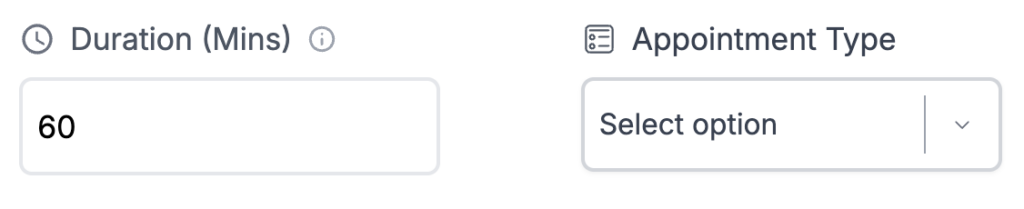
- Duration is required if the appointment type is not selected.
- If the appointment type is not selected and the duration section is filled, the procedure duration will be set to the given duration.
- If both the duration and appointment type are filled, the duration section will take priority.
Appointment Type : If the appointment type is selected and the reason for visit duration is not provided, the duration from the appointment type will be used as the default duration for the reason for visit. This ensures that the appointment duration is consistent with the selected appointment type.
Show Provider Options : If the feature is checked, mapped providers will appear on the ALL in One Dental patient form, allowing patients to manually select an available provider for their appointment. If unchecked, patients will not need to manually select a provider and can directly view the available time slots for the appointment.
Activation of reason for visit : You can further customize the visibility of the reason for visit on the patient form. By disabling the feature, you can restrict the reason’s visibility on the form without permanently deleting it, allowing for future use if needed.
Customizing Providers
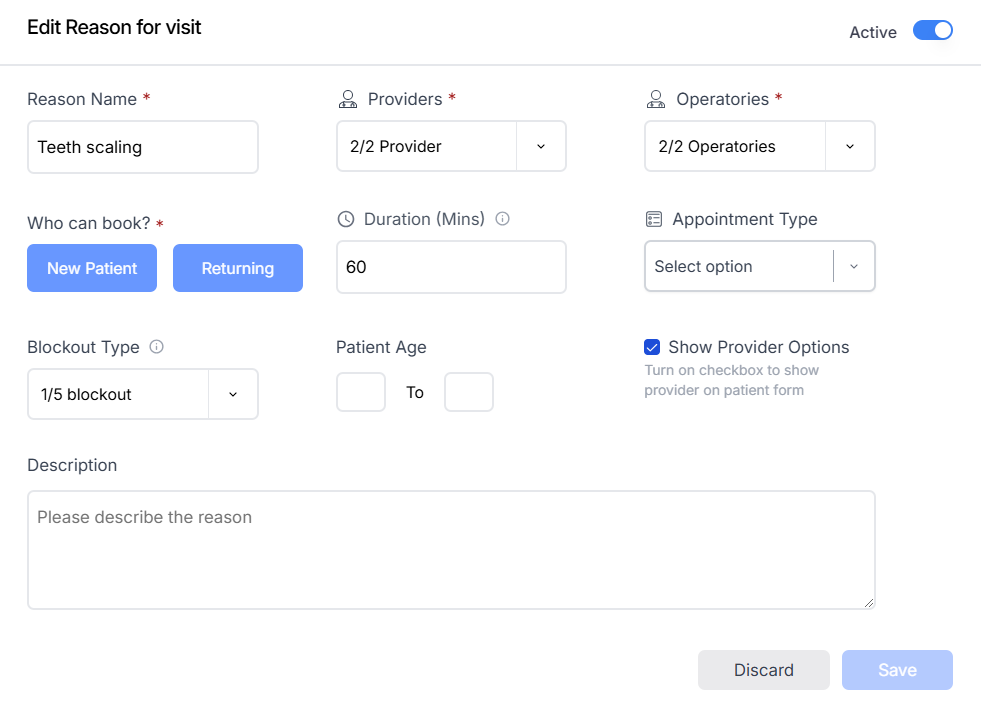
You can customize several attributes of each enabled and disabled reason for visit. Just click on the edit button located at the end of each reason row, allowing you to modify the details as needed.
Edit Reason for Visit : You can edit the reason name, previously assigned providers and operatories, who can book for the reason, procedure duration, blockout type, and all other details added while creating the reason. This allows you to update and modify any aspect of the reason as needed.
Delete reason

You can permanently delete a reason by clicking on the delete feature located at the end of each reason row.